
AI Personal Subscription
Run Odoo AI on your own ChatGPT plan, Claude or Gemini API key or Azure resource
Every Odoo AI feature - the AI chat, agents and their tools, prompt buttons, AI fields, AI server actions - normally spends Odoo IAP credits. With this module each user can set up an LLM subscription of their own in their preferences and have their requests answered there instead.
Five providers
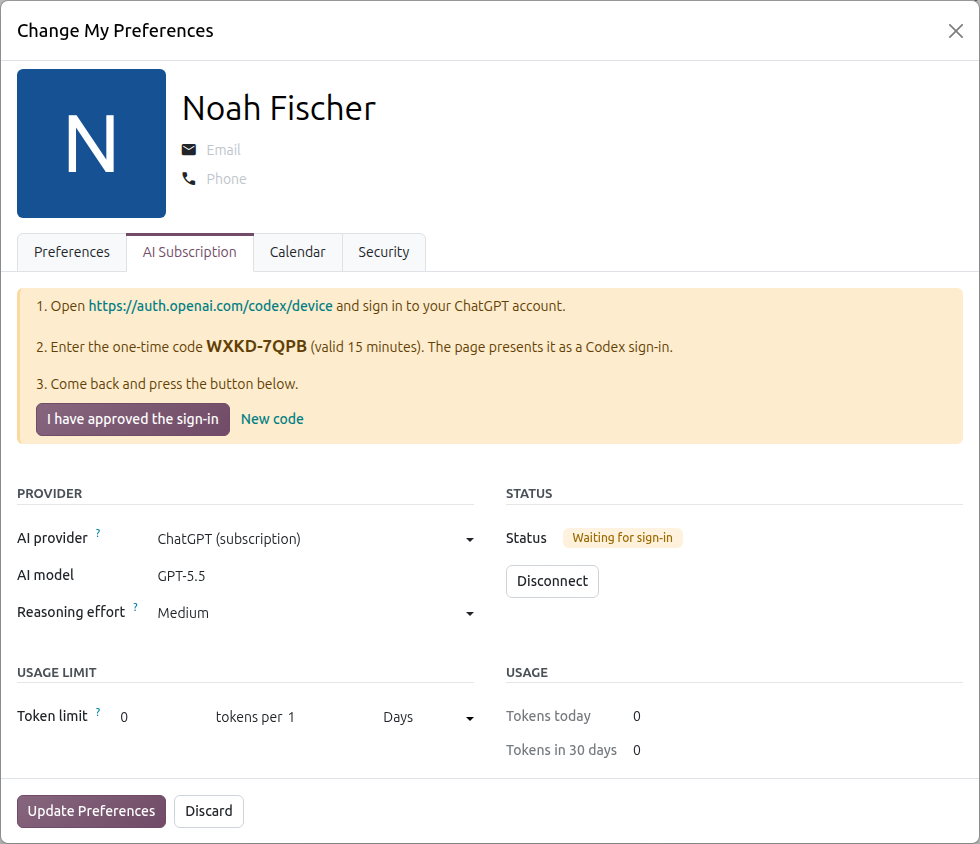
- ChatGPT - sign in with your ChatGPT plan (Plus, Pro, Business) using a one-time code, the way OpenAI Codex does. No API key, requests count against your plan's limits.
- Claude - paste your Anthropic API key from the Claude Console. Requests are billed to your Anthropic account. Claude.ai subscriptions (Pro / Max) cannot be used by other applications, so a Console API key is required.
- Gemini - paste your Google AI Studio API key. Google AI Pro / Ultra subscriptions cannot be used by other applications, so an API key is required.
- Claude on Azure Foundry - your Foundry resource, deployment and key.
- Azure OpenAI - your Azure OpenAI resource, deployment and key.
How it works
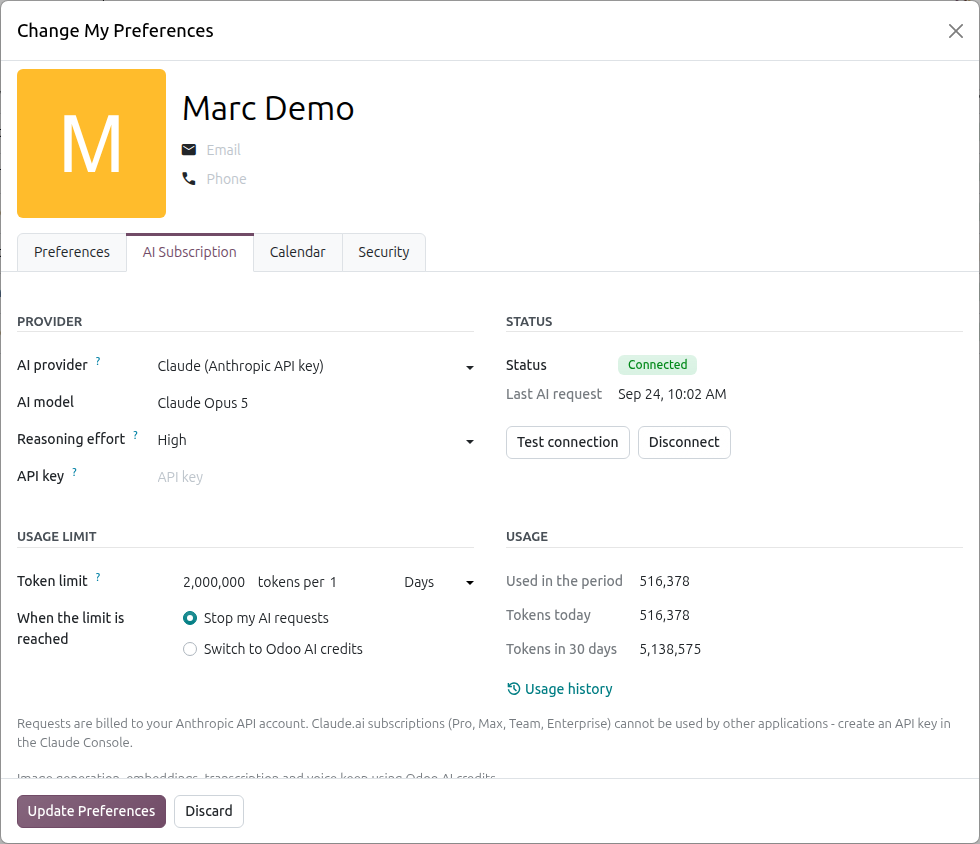
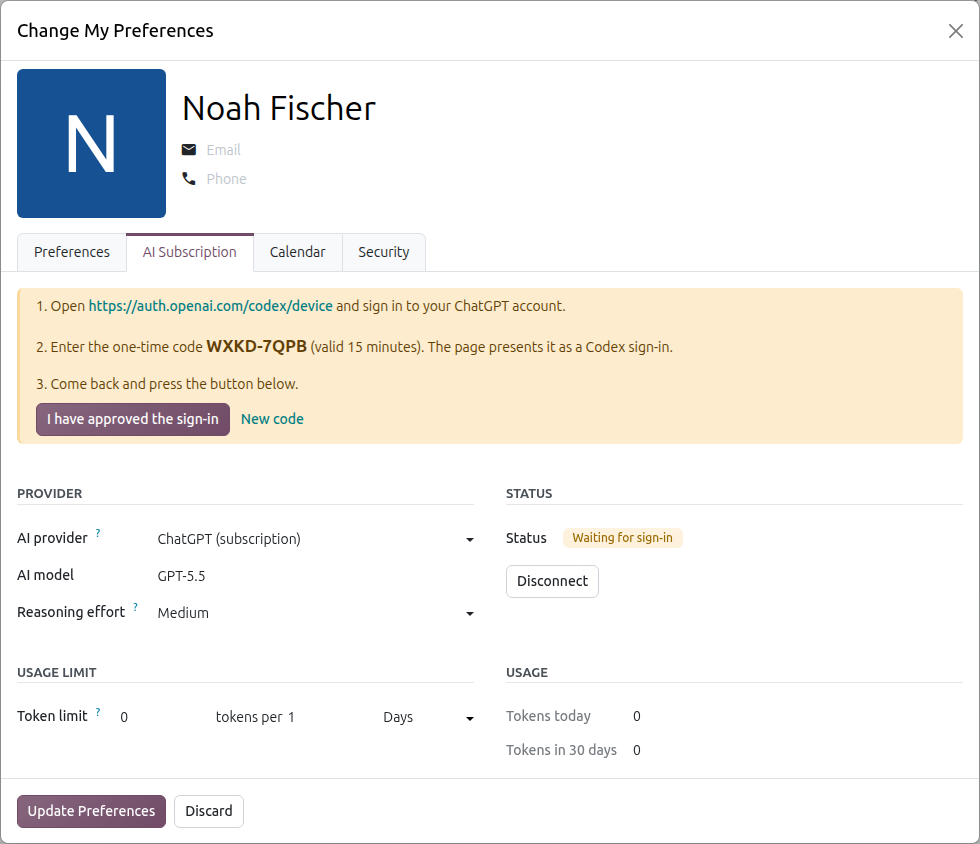
- Open My Preferences, tab AI Subscription: pick the provider, then one of its models and one of the reasoning efforts that model offers, and connect.
- "Think longer" in the AI chat uses the highest effort the model offers.
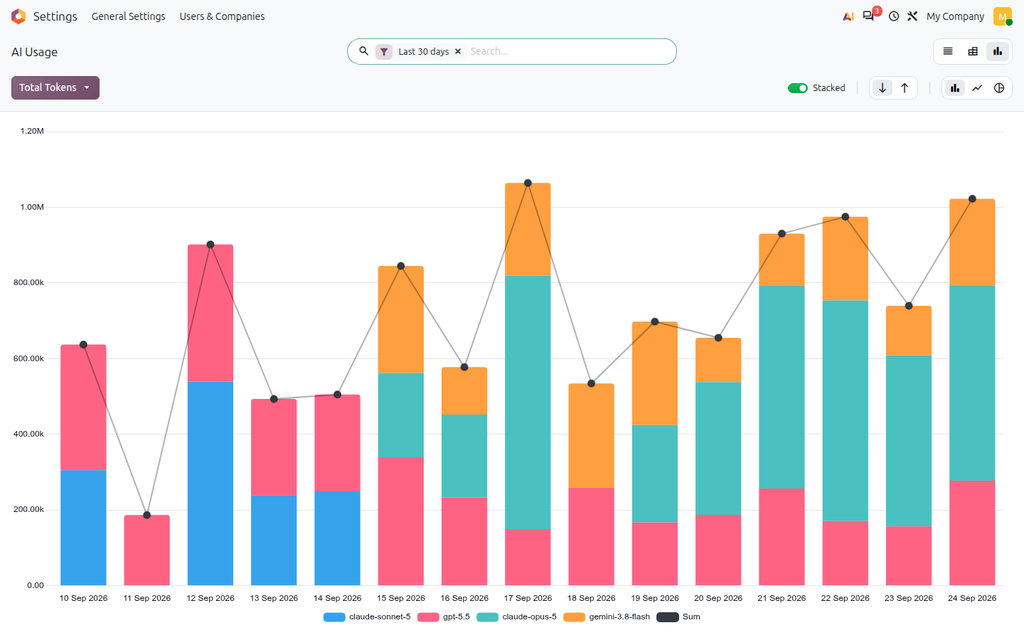
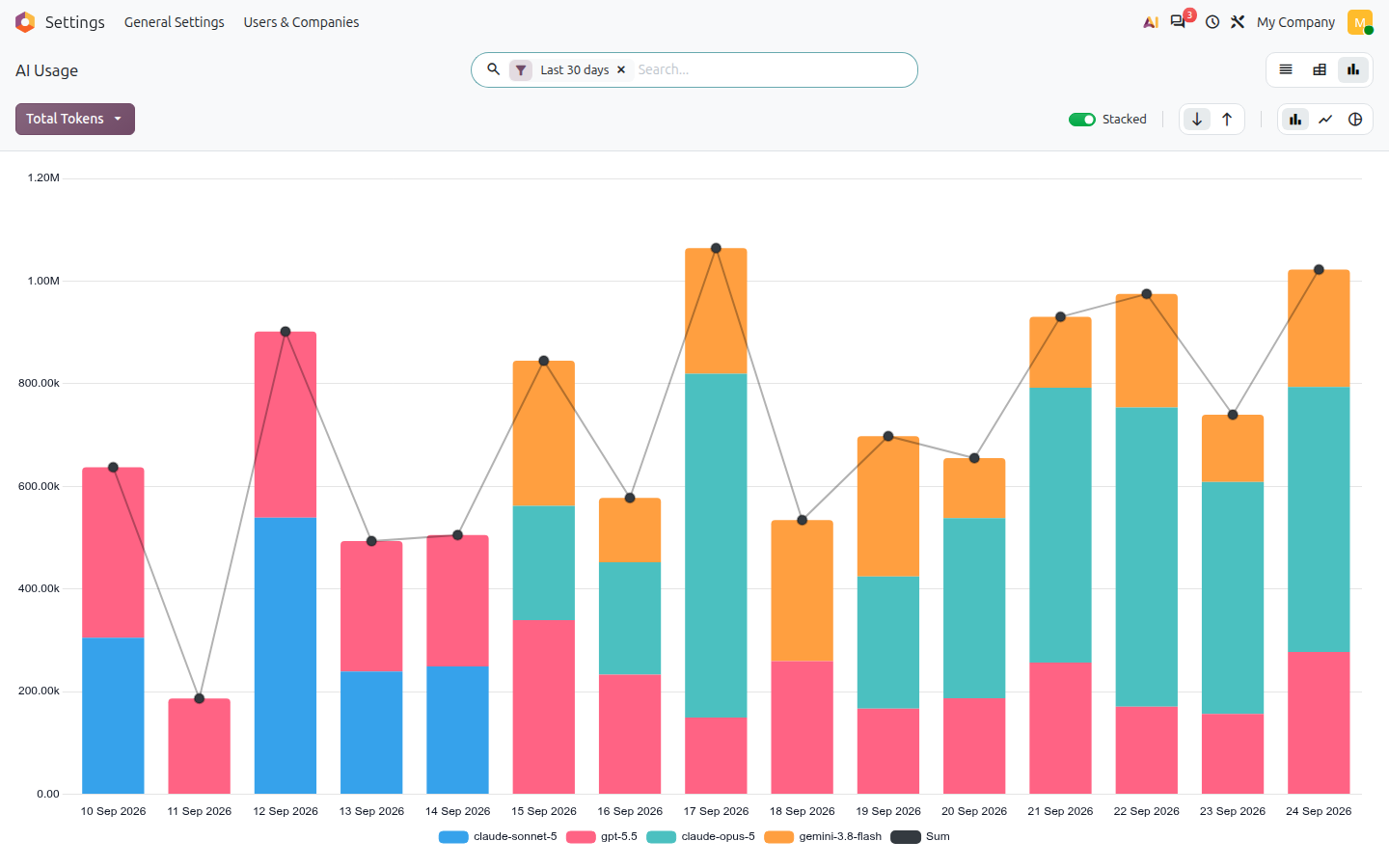
- Token counter: every request is logged with its input, cached and output tokens; the profile shows today's and the last 30 days' usage, with a full history (list, pivot, graph).
- Your own limit: N tokens per X hours or days, over a rolling window. When it is reached your AI requests stop until usage frees up - the message says when - or switch to Odoo AI credits, as you choose.
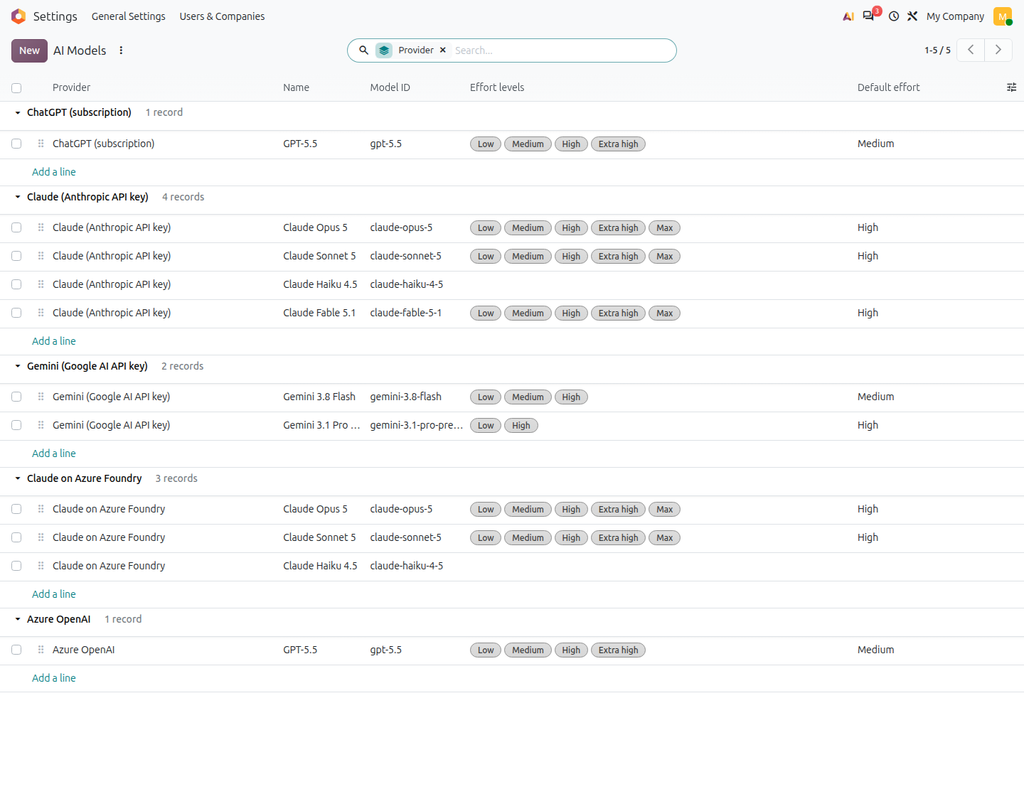
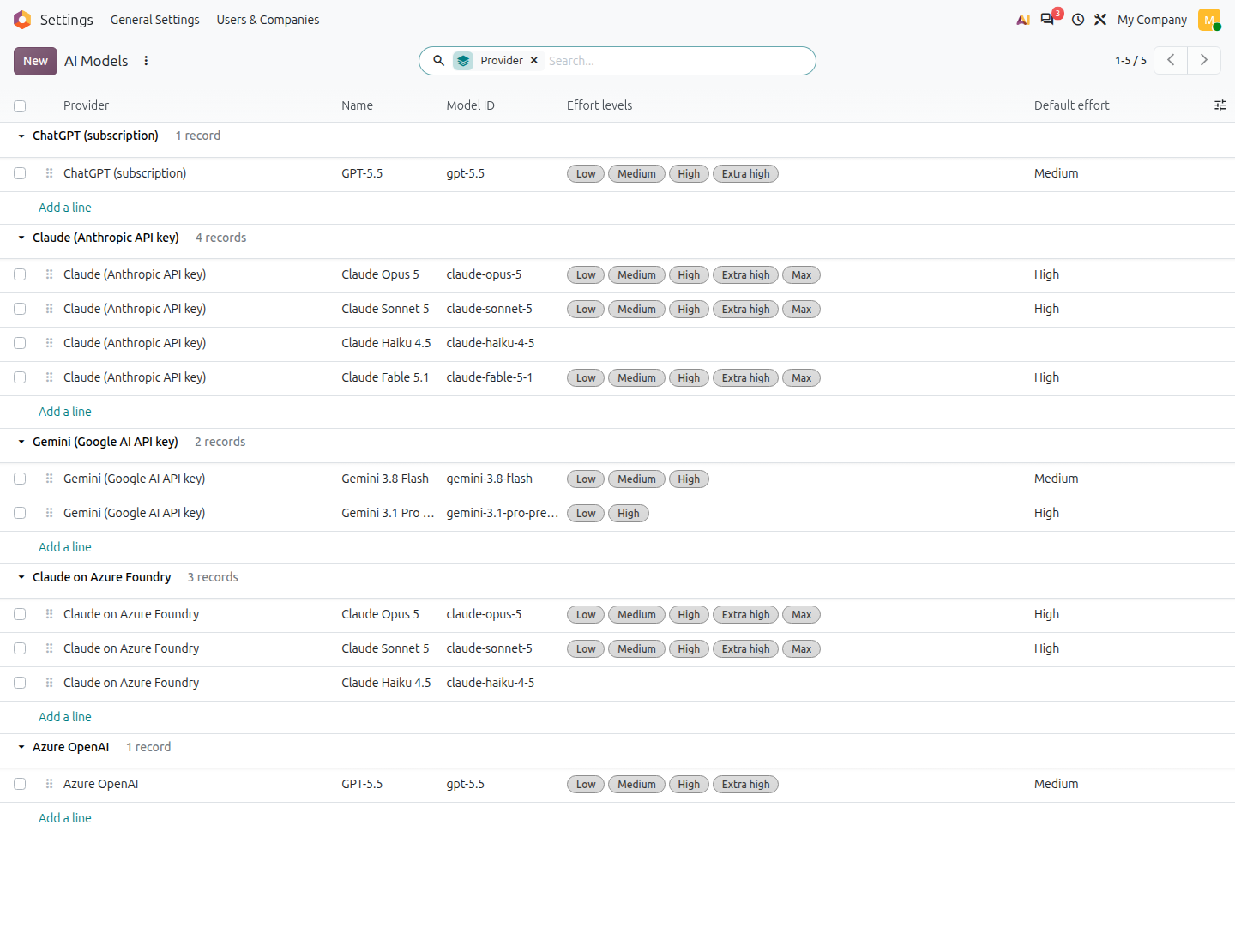
- The administrator keeps the model catalogue per provider up to date.
- Only your own requests use your account. Users without an account, portal and website visitors, and scheduled jobs keep using Odoo AI credits.
- Image generation, embeddings, transcription and voice keep using Odoo AI credits.
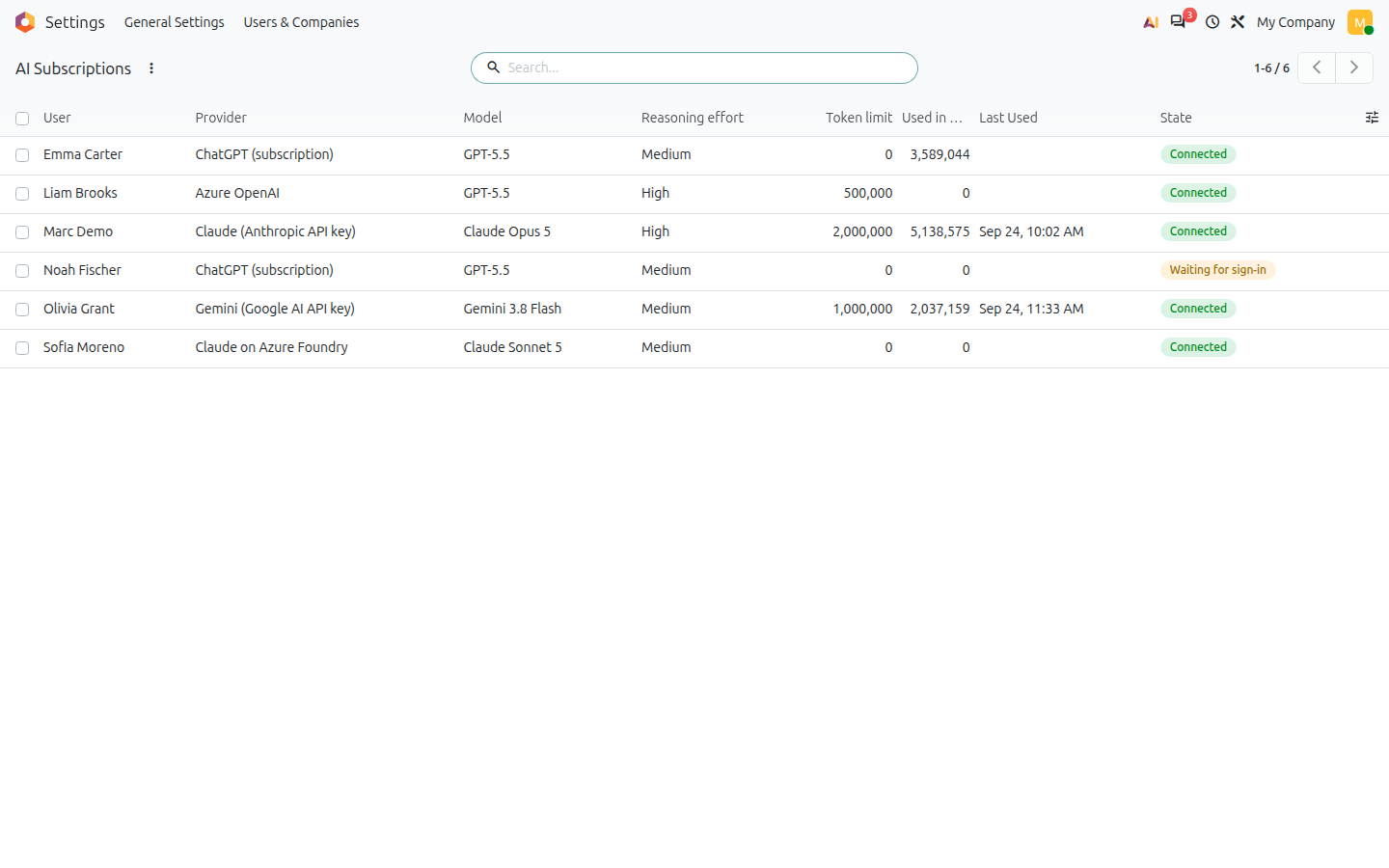
- One subscription per user. Tokens and keys are never displayed again once saved, and nobody but the user and the administrator sees the subscription.
Please note
The ChatGPT sign-in is the one OpenAI Codex uses. OpenAI does not document it for other applications and may change or close it at any time. Requires the Odoo Enterprise AI app.
Screenshots
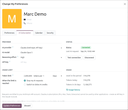
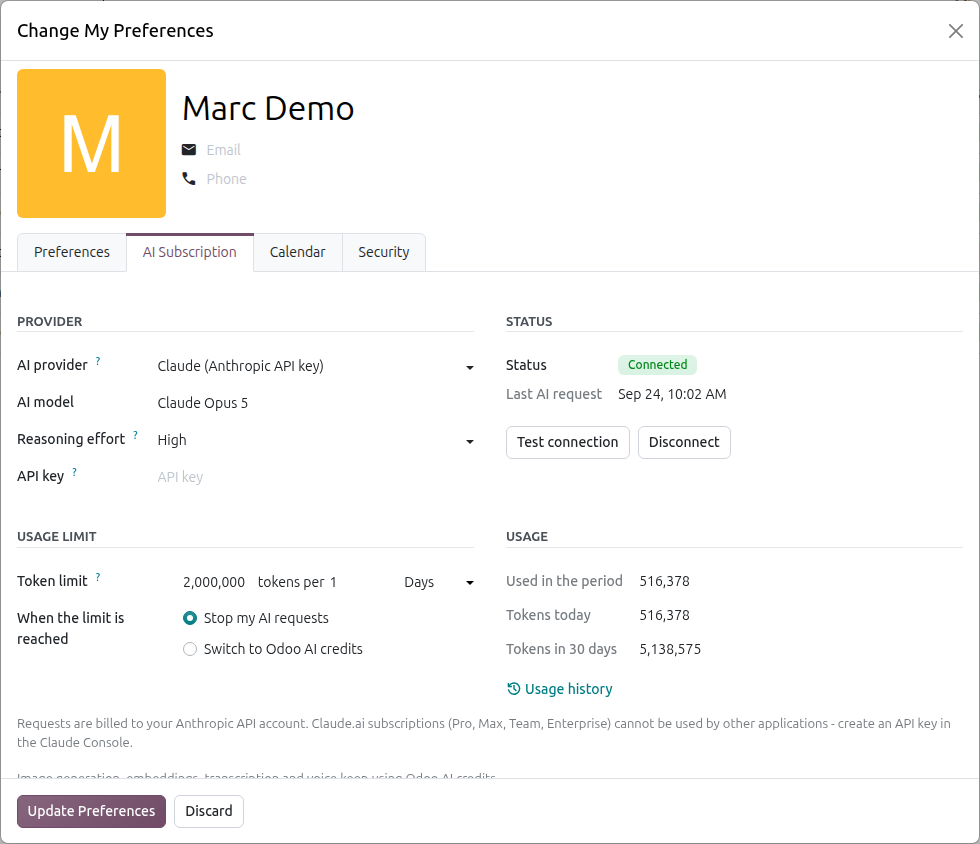
Set up in your preferences
My Preferences, tab AI Subscription: the provider, then one of its models and one of the reasoning efforts that model offers. Status, test button, your own token limit and your usage of today and of the last 30 days sit next to it.
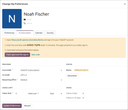
Sign in with your ChatGPT plan
No API key: press Sign in with ChatGPT, open the page shown, type the one-time code and approve. The token is refreshed automatically afterwards.
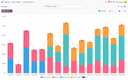
Every token counted
Each request is logged with its input, cached and output tokens. Users open their own history from the preferences; the administrator sees everybody's, as a list, a pivot or a graph.
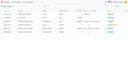
One subscription per user
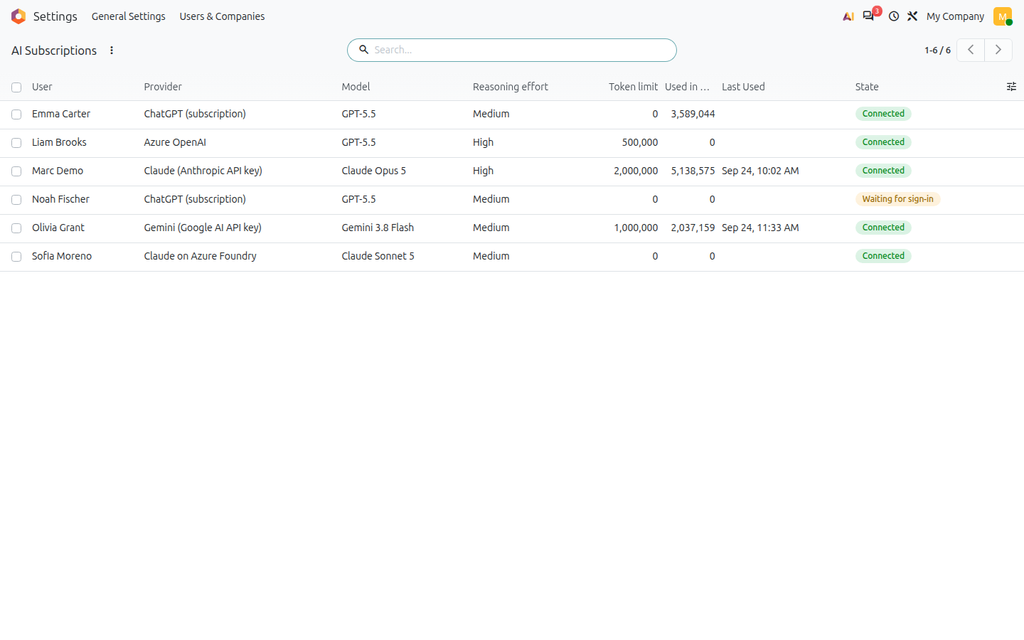
The administrator's overview: provider, model, effort, limit, usage and status of every user.
Your model catalogue
The models offered per provider and the effort levels each of them accepts - add a model the day a provider releases it, no module update needed.
Technical details
| Technical name | ai_personal_subscription |
|---|---|
| Odoo versions | 20.0 |
| License | OPL-1 |
| Required Odoo apps | ai |
| External dependencies | python: anthropic, markdown2, requests |