
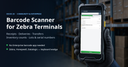

Barcode Scanner for Zebra Terminals
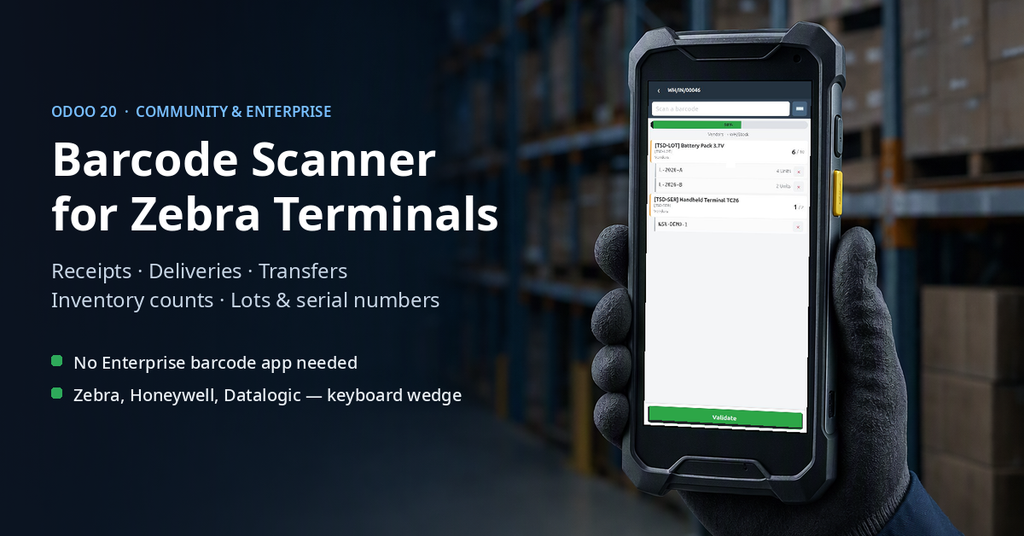
Receipts, deliveries, internal transfers and inventory counts on a Zebra or any other Android handheld scanner — one mobile screen, lots and serial numbers included.
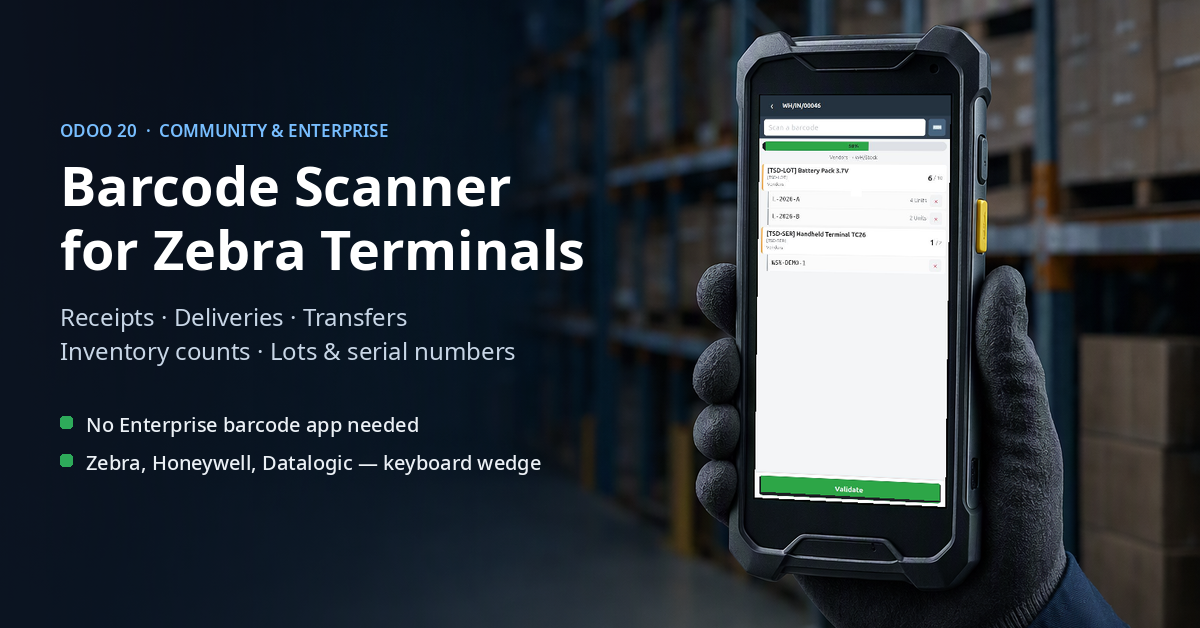
Odoo Community has no barcode app. This is one.
stock_barcode ships with Odoo Enterprise only; in Community it is
marked uninstallable. This module gives a warehouse operator a single
mobile screen that runs inside Odoo, on the rugged Android terminal already in
their hand. No native application to install, no SDK, no separate server.
Everything from one screen
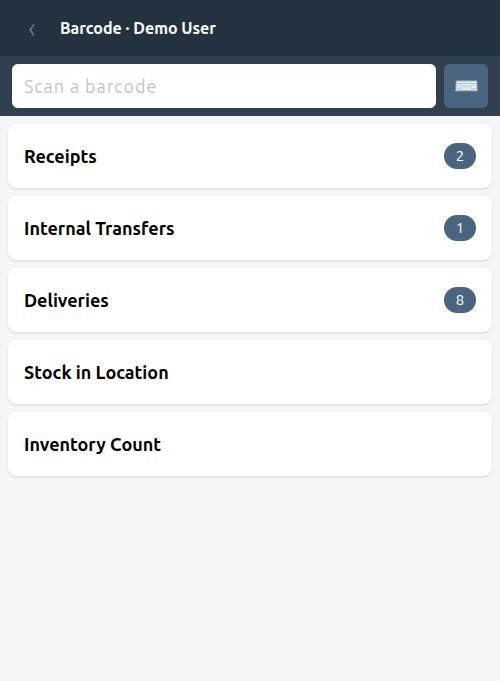
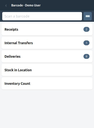
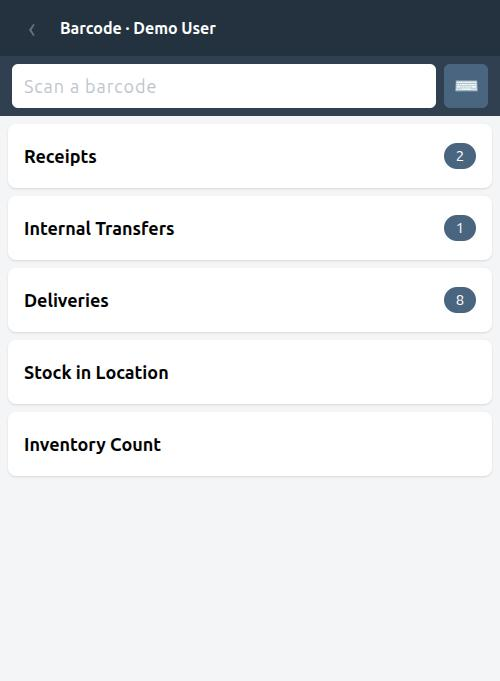
The operator opens one app and sees how much work is waiting: the number of receipts, internal transfers and deliveries that Odoo has already prepared and reserved.
- Scan a transfer reference to jump straight into it.
- Scan a product anywhere to see what it is and how much is on hand.
- Two extra tools: stock in a location, and inventory counts.
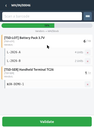
Picking that counts up from zero
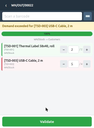
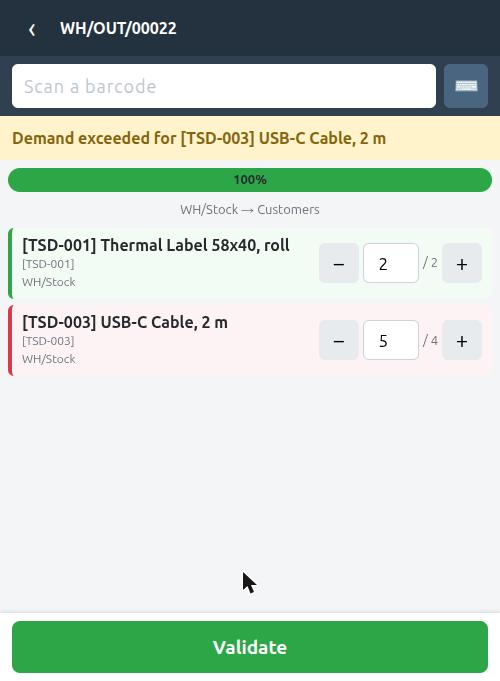
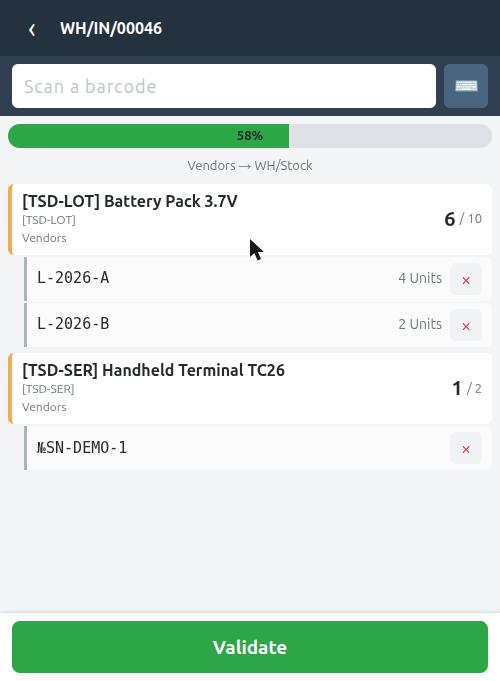
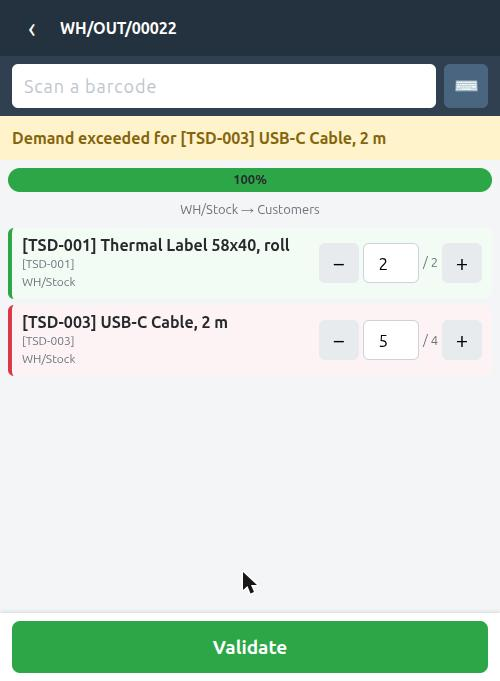
Odoo pre-fills quantities the moment it reserves stock, which would make a freshly opened transfer look finished. Here the counters start at zero and grow with every scan, the way an operator actually works.
- A line turns green when the demand is met and red when it is exceeded.
- A product that is not in the transfer is refused on a delivery, and added as an extra line on a receipt, where a supplier sending more is normal.
- Plus and minus buttons for the rare manual correction.
- A half-picked transfer reopened later keeps its count.
Lots and serial numbers, without the guesswork
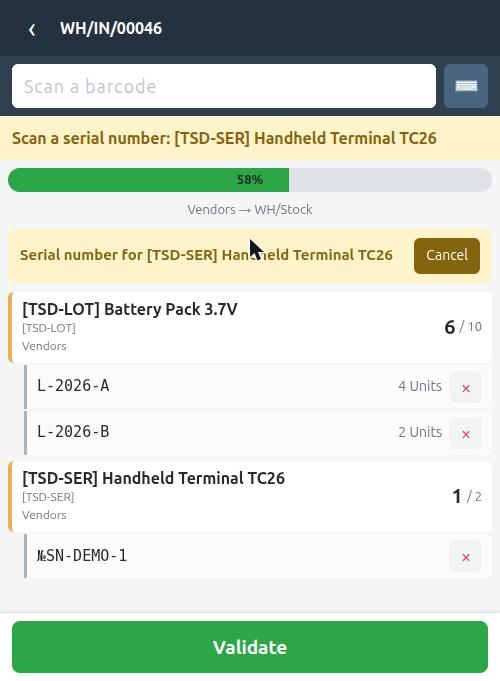
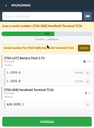
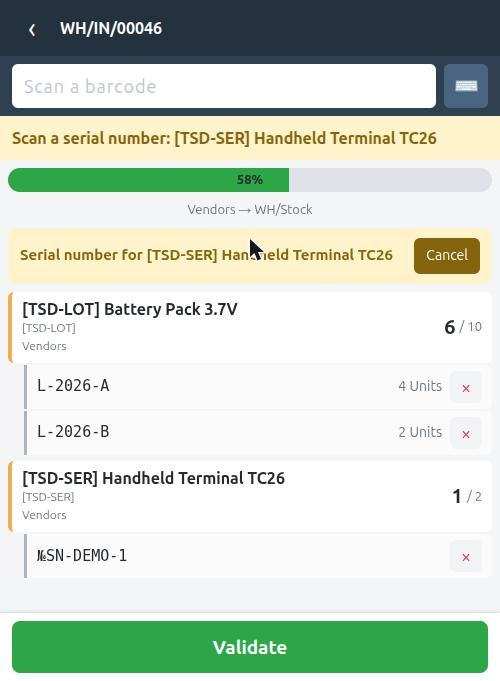
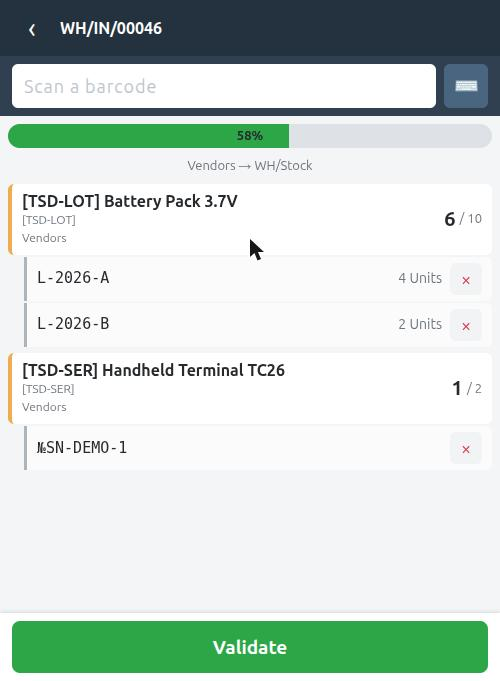
A tracked product is never counted by the product scan alone. The screen asks for the lot or the serial number, and only the second scan adds the quantity.
- A lot is created only where the operation type allows it, so new numbers cannot appear out of a delivery.
- On a delivery or an internal transfer, a lot with no stock in the source location is refused by name.
- A serial number is exactly one unit; scanning the same one twice is blocked.
- Scanning a product, a location or a transfer while a lot is expected switches to it instead of quietly creating a lot named after a barcode.
- Quantities for tracked products are built by scanning, never typed: otherwise there is no telling which lot was actually shipped.
Every lot is listed under its line with its own quantity, and a wrong scan is removed with one tap.
Inventory counts by location
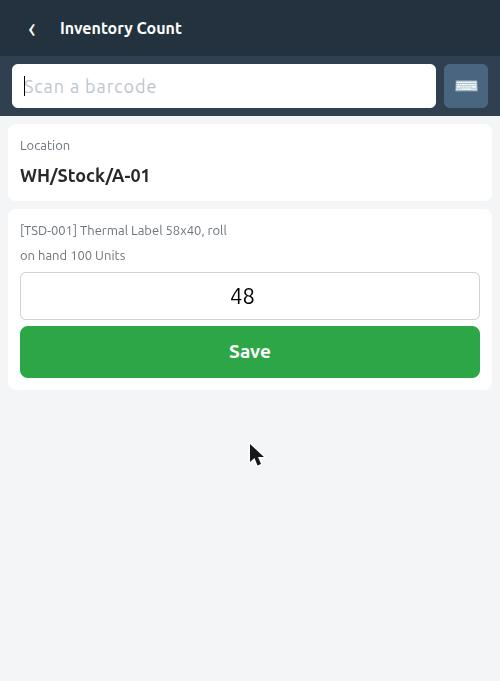
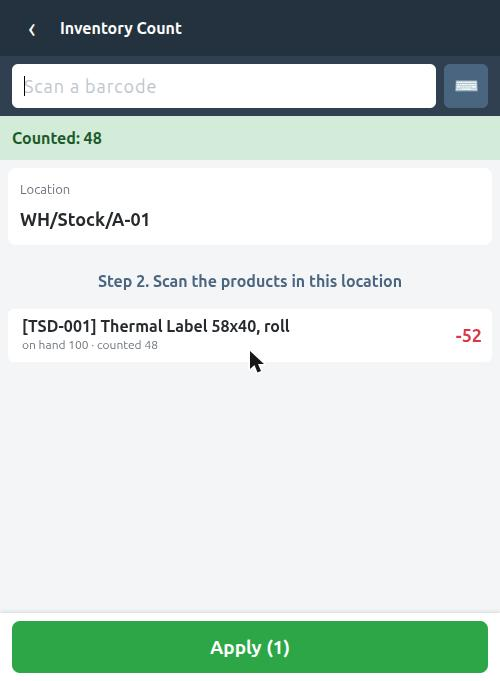
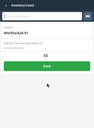
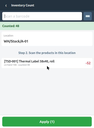
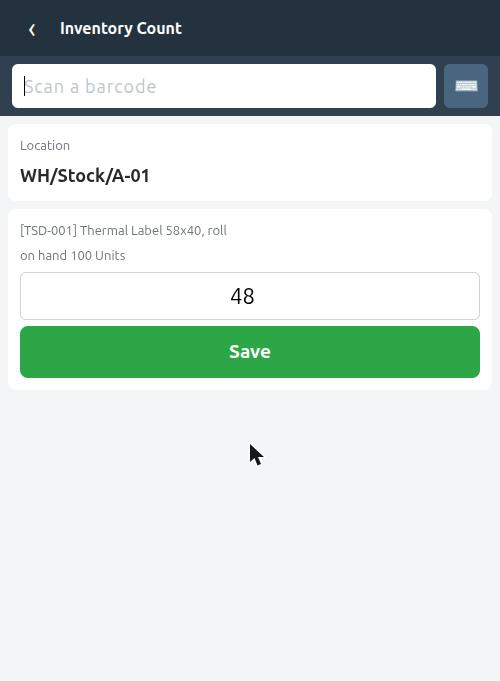
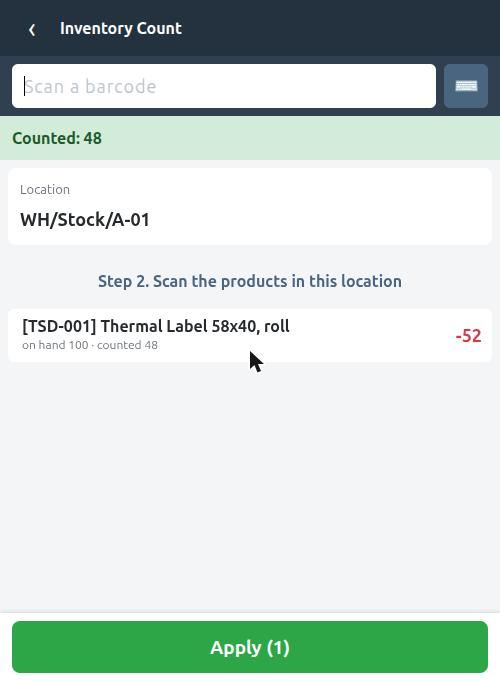
Scan the bin, scan a product, type what is really on the shelf. The difference against the books is shown before anything is applied, and the whole location is applied in one action when the count is finished. Applying requires the standard Inventory Administrator right, so counting and approving stay separate.
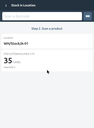
What is in this bin?
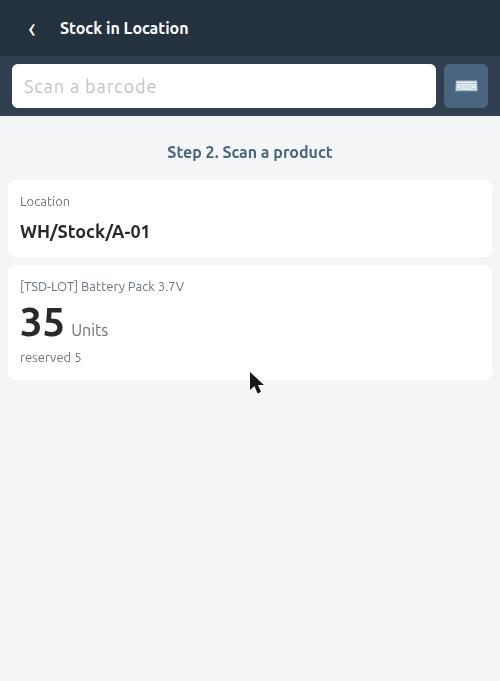
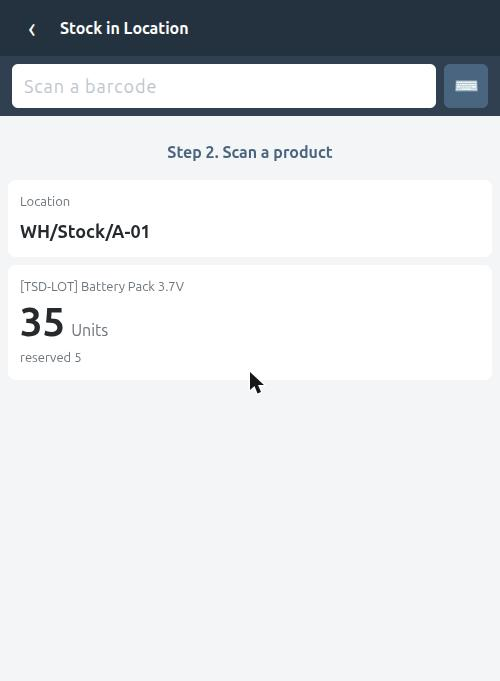
Scan a location and a product to see the quantity on hand and how much of it is already reserved, without leaving the terminal and without opening Odoo on a computer.
Built for a scanner, not for a mouse
- Any keyboard-wedge scanner. The scan field is always focused and takes the barcode the way the hardware sends it: the characters followed by Enter. Zebra, Honeywell, Datalogic and the rest work out of the box.
- No SDK, no native app. The terminal opens Odoo in its browser and that is the whole setup.
- The keyboard stays down while scanning, and is one tap away when a label is damaged and the code has to be typed.
- Sized for gloves. Touch targets, counters and buttons fit a 5" screen and are readable at arm's length.
- Product references work too, not only barcodes: not every item in a warehouse carries a printed label.
Technical notes
- Odoo 20 Community and Enterprise. Depends on
stockandbarcodesonly. - All warehouse rules live on the server, not in JavaScript: the same calls can be replayed from a script or reused by another front end.
- Works with the transfers Odoo already prepares — no parallel document of its own, nothing to reconcile.
- English interface with a complete Ukrainian translation included.
Support
Author and maintainer: Svyatoslav Nadozirny.
Questions, bug reports and feature requests:
info@many2one.online
Technical details
| Technical name | barcode_scanner_zebra |
|---|---|
| Odoo versions | 20.0, 19.0, 18.0 |
| License | OPL-1 |
| Required Odoo apps | barcodes, stock, web |