

Kanban Swimlanes & Sort
Sort kanban cards on any field and split the board into horizontal swimlanes — straight from the search dropdown, on every kanban view, without editing a single view definition.
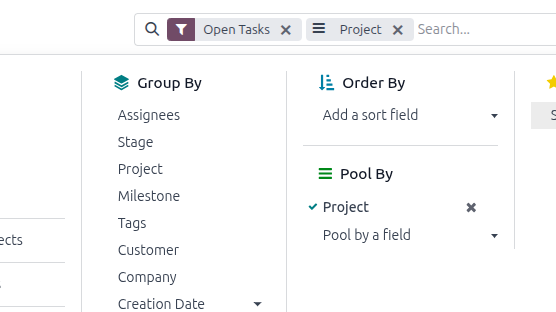
Two new sections, one familiar place
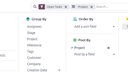
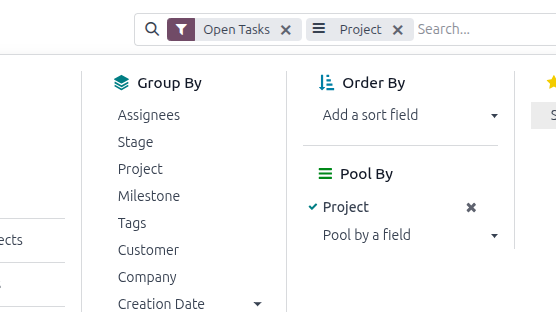
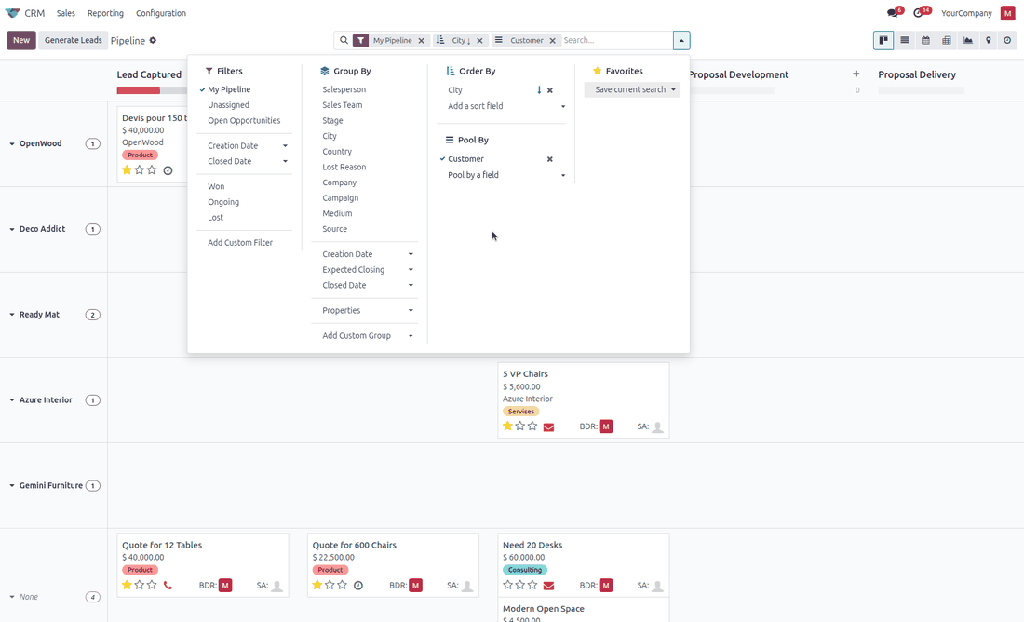
The module adds an Order By and a Pool By block to the Filters / Group By / Favorites dropdown. They appear on kanban views only, share a single column so the dropdown stays compact, and behave like the sections your users already know.
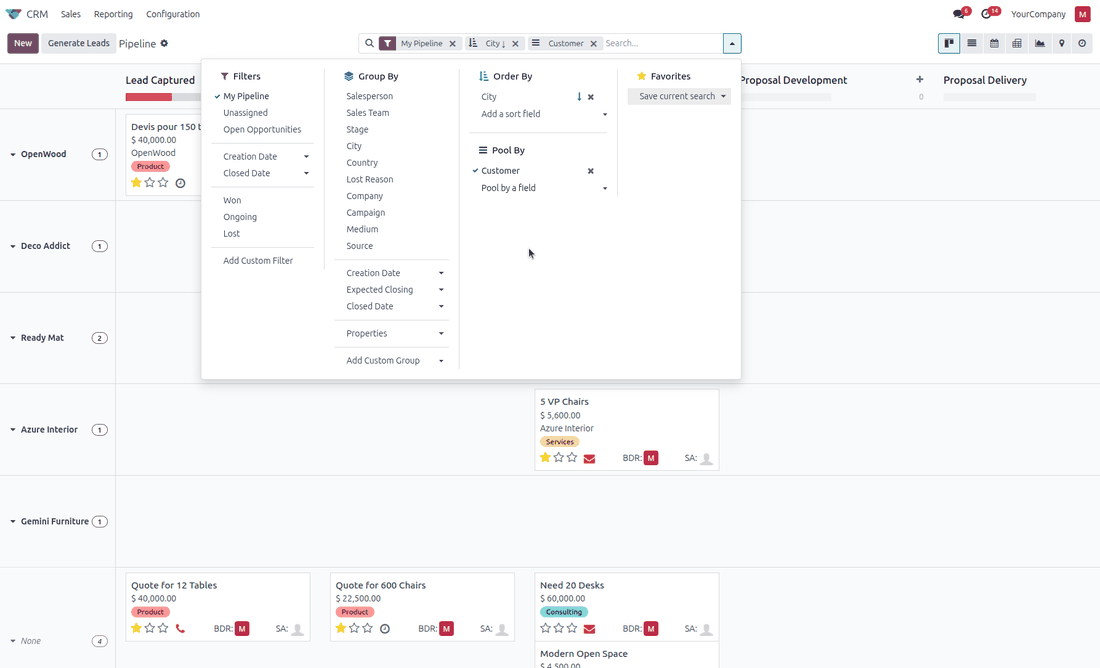
Order By
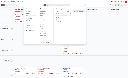
Pick any stored field and the cards reorder immediately. Click the arrow to flip between ascending and descending, add a second and a third field to build a multi-level sort, and remove a term with one click. The order becomes part of the search, so saving the search as a favorite keeps it.
- Works on grouped and ungrouped kanban views alike.
- Several sort fields, applied in the order you picked them.
- Ascending or descending per field.
- Stored in the search, saved with favorites.
Pool By — swimlanes
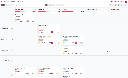
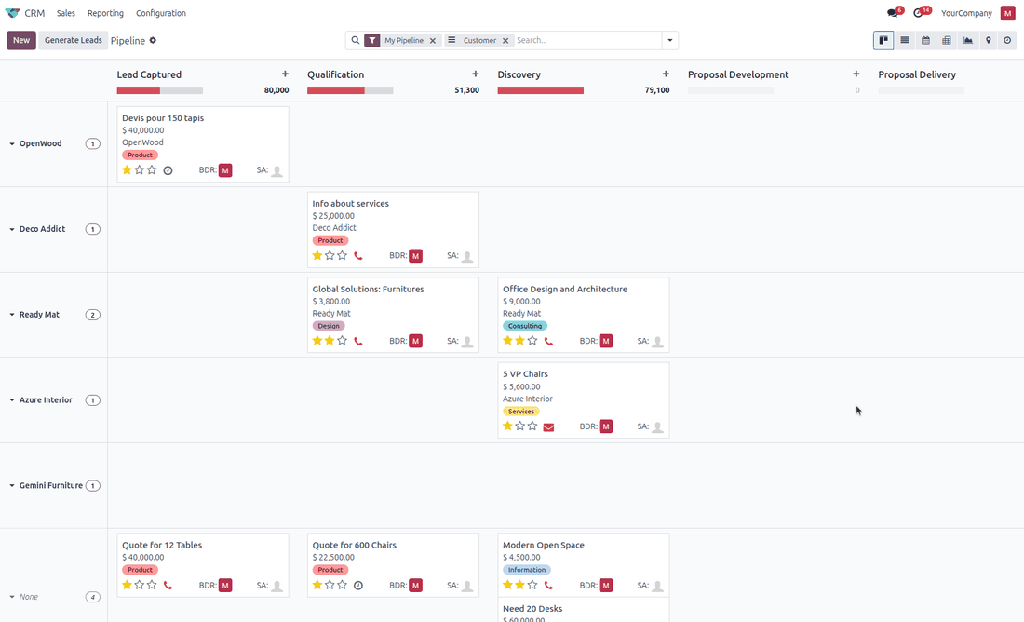
Pool By adds a second grouping on a many2one or selection field and draws it as horizontal lanes crossing the kanban columns. A card then sits at the intersection of its column and its lane — the stage it is in, and the salesperson, team, priority or customer it belongs to.
- Columns keep everything they already do: headers, folding, progress bars, quick create.
- Lane titles stay pinned on the left while the board scrolls; column headers stay pinned on top.
- Collapse a lane you are not working on.
- Drag a card to another lane or another column — both fields are written in one move.
- Without an active Group By, the lanes simply span the full width.
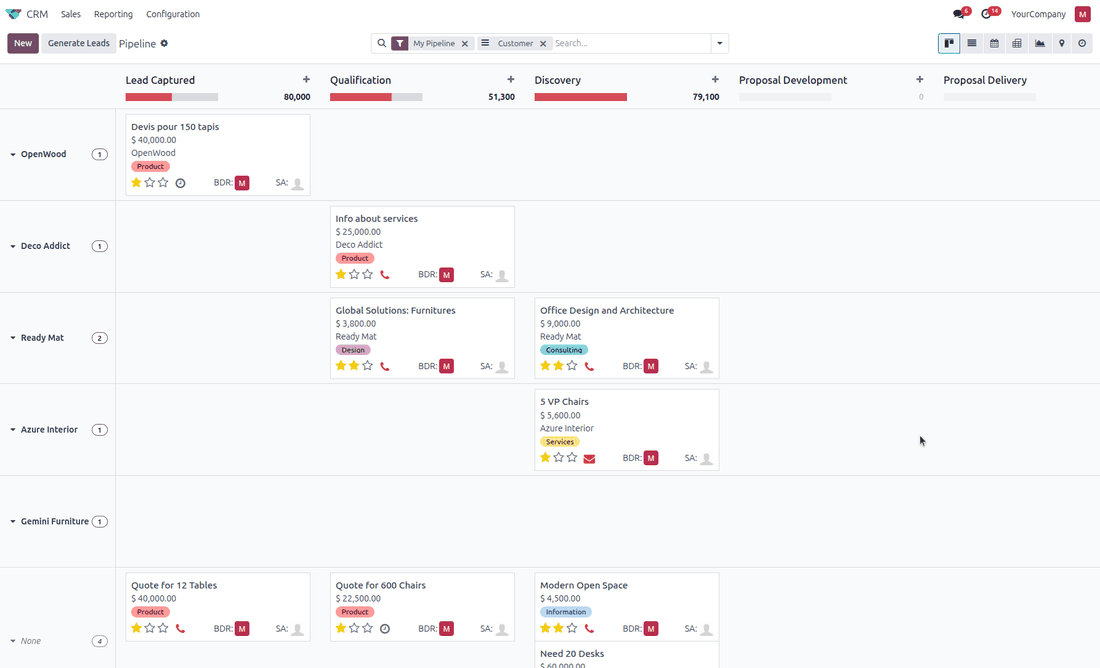
Every kanban view, no configuration
Install it and the two sections are there — on CRM, Sales, Projects, Recruitment, Helpdesk, Inventory, and on the kanban views of your own modules. No view has to be inherited, no field has to be declared, no menu has to be configured.
The pool travels in the search context under the pool_by key. That means you can
also preset it on an action — {'pool_by': 'user_id'} — and it is stored together
with a saved favorite, so a team can share a swimlane view.
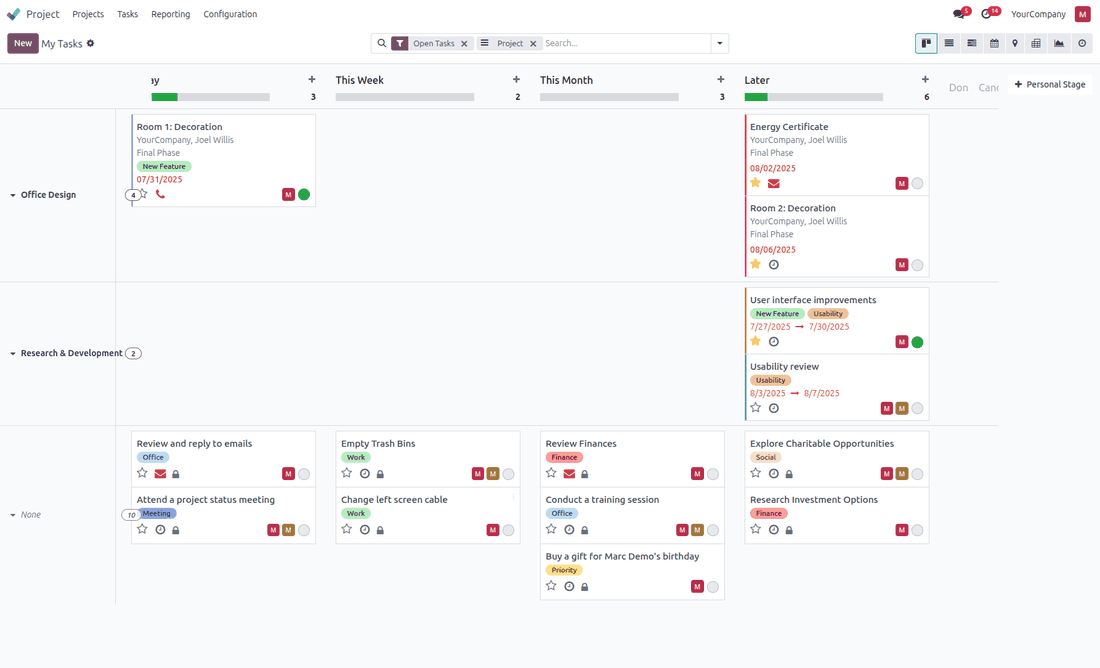
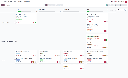
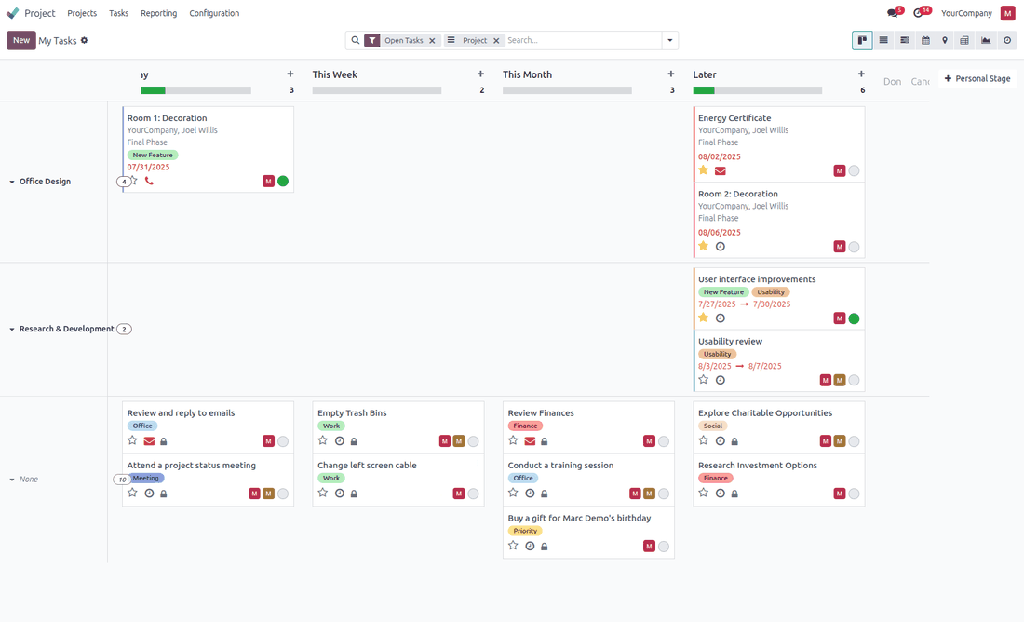
The same two sections on Project tasks — swimlanes per project, columns per personal stage.
Technical notes
- No model is extended and no table is created — the module is web client only.
- No data is collected, sent anywhere, or stored outside your database.
- No activation key, no external service, no license check.
- Lanes are built with a real second grouping level, so counts and pagination stay correct.
- Only lanes that contain records are shown.
- Depends on
webonly.
Support
Written and maintained by Svyatoslav Nadozirny. Questions, bug reports and feature requests are welcome — answered directly by the author.
Technical details
| Technical name | kanban_pool |
|---|---|
| Odoo versions | 20.0, 19.0, 18.0, 17.0 |
| License | OPL-1 |
| Required Odoo apps | web |